Do Blood Pressure Monitor Apps Require a Subscription?
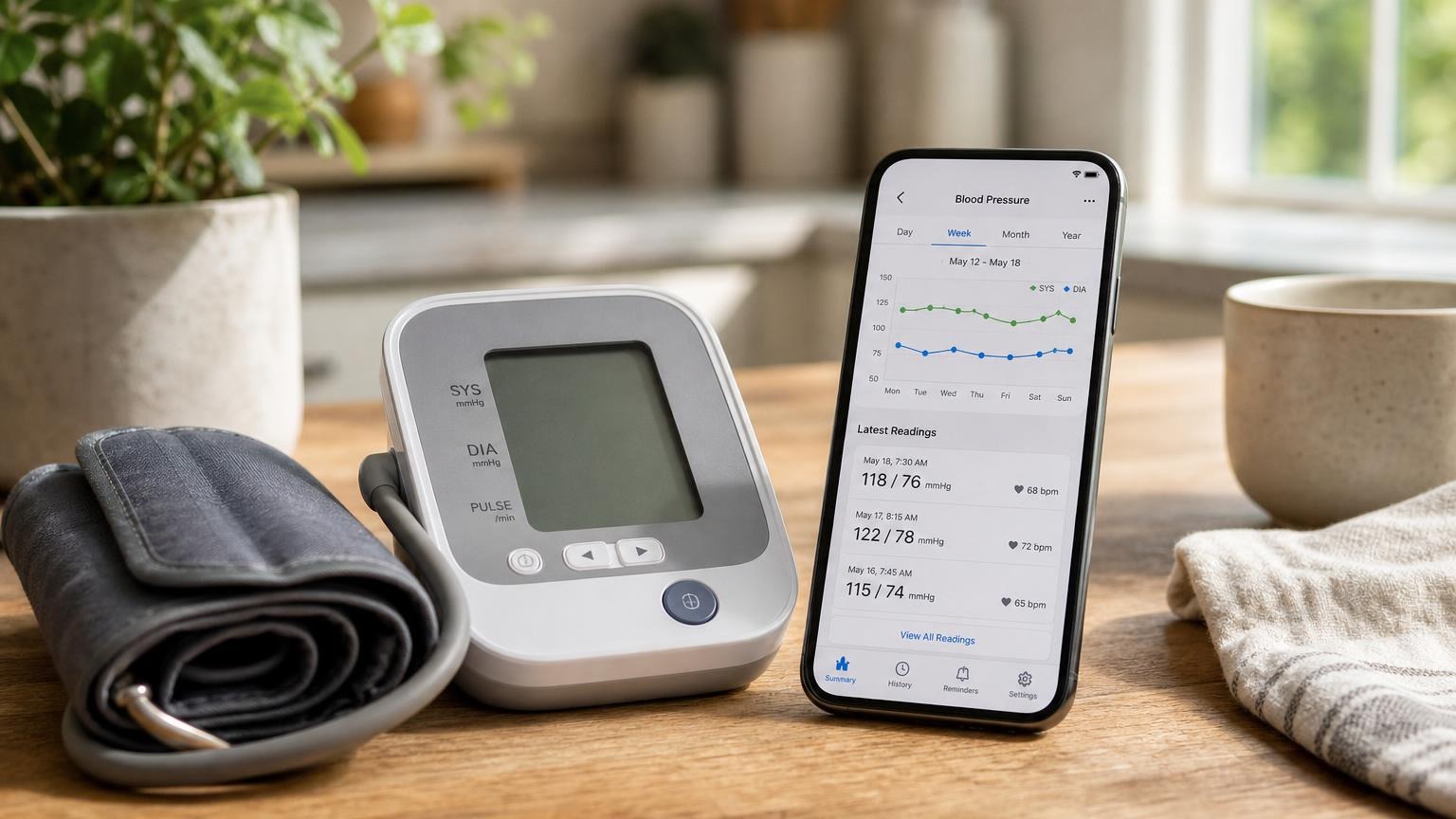
A blood pressure monitor app may offer free logging and optional paid extras. Check which features need a subscription before starting a trial or canceling.
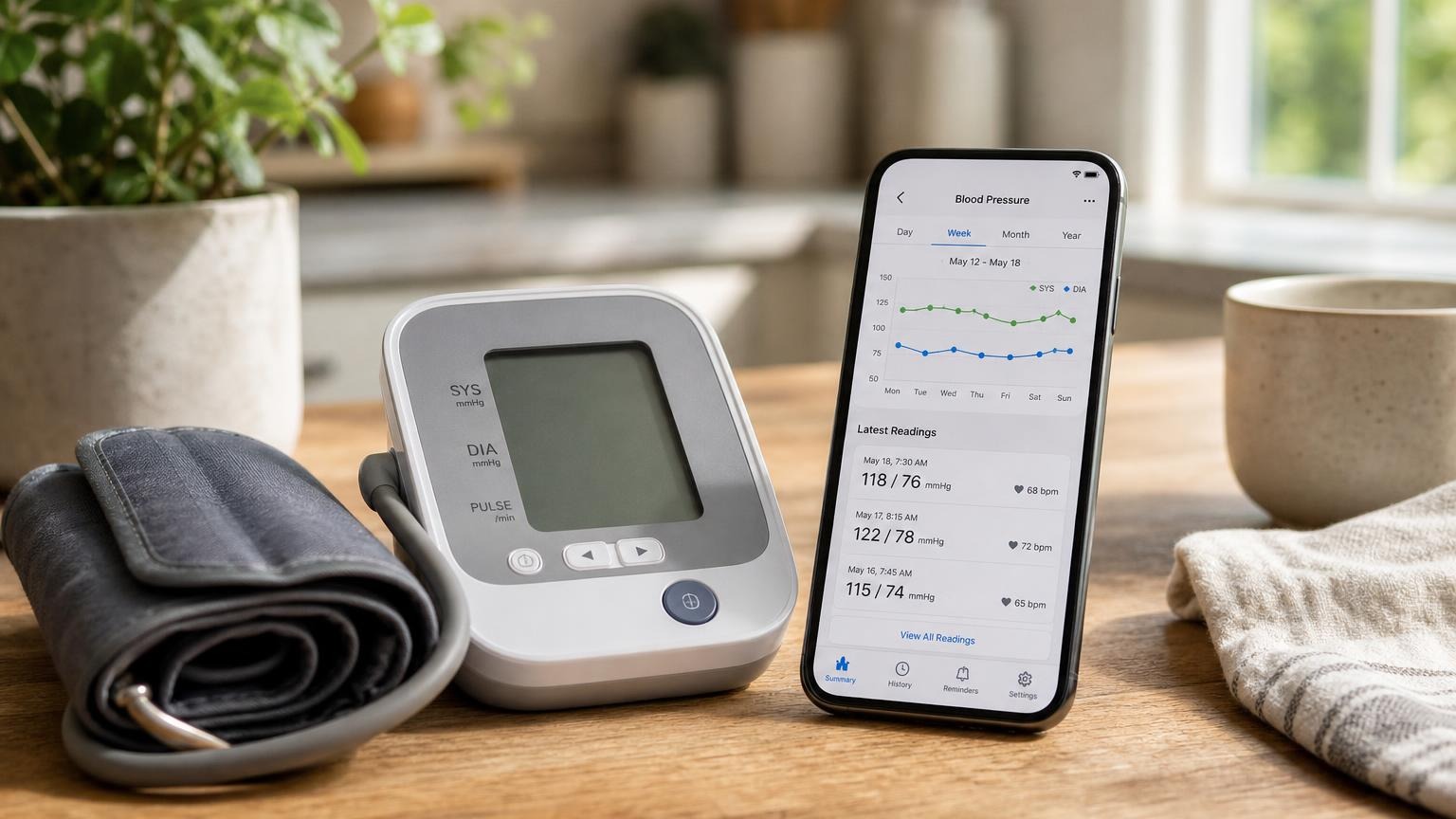
A blood pressure monitor app may offer free logging and optional paid extras. Check which features need a subscription before starting a trial or canceling.
A blood pressure monitor app does not always require a subscription. Some offer a free tier for reviewing readings and a paid tier for additional reports, reminders, or other features. Before accepting a trial, check what remains available without payment for your exact monitor, app, and country. A “Premium” screen does not by itself mean you must subscribe to keep a useful blood pressure log.
The important distinction is between taking a measurement, saving the result, and paying for extra software features. Those are separate questions. A paid report is not proof that the cuff measures more accurately, and a free app is not a substitute for dependable equipment and good technique.
When a blood pressure monitor app subscription is optional
A manufacturer’s feature list is more useful than the upgrade banner inside an app. Look for an explicit comparison of free and paid functions, rather than assuming that “free download” means everything is free—or that “in-app purchases” means everything costs money.
For a concrete example, OMRON’s official connect app page, checked October 6, 2026, lists a basic health report, integration with other health apps, and detailed health history in both its free and Premium columns. It lists detailed reports with health insights and medication tracking with reminders among its Premium features.
That example establishes that a free tier exists for that app. It is not a promise about every manufacturer’s software, every country, or future terms. Confirm compatibility and the current feature list for the version you actually use. A screen showing a Premium trial is also not evidence that a trial has already been activated; check the subscription status and any purchase confirmation.
Separate these layers before deciding what you need:
| Layer | Question to answer |
|---|---|
| Monitor | Can this exact model take and display readings without the app? |
| Onboard memory | How many readings does it retain, and does it keep the correct user’s history? |
| Free app tier | Can you transfer, review, and share the readings you need without payment? |
| Paid tier | Which specific reports, reminders, or services disappear when paid access ends? |
| Care program | Has your clinic required a particular connection or reporting service? |
Use the monitor manual for hardware questions and the app’s current support pages for software terms. Buying a connected cuff does not answer all five questions at once.
Check the free features you will actually use
Start with your logging needs, not the longest feature list. If your clinician wants a dated series of home readings, find out whether the free tier lets you review individual results, keep household users separate, and provide those results in an acceptable format.
Before paying, check:
- History: Can you see older individual readings, or only a recent summary?
- Sharing: Is a basic report free? Does a particular PDF, spreadsheet export, or longer reporting period require payment?
- Timestamps: Are dates and times visible and correct?
- Access: Does the app require an account, internet connection, or compatible phone for the functions you need?
- Cancellation: What remains accessible when the trial or paid period ends?
These are questions to verify, not features that every free app includes. A graph, an export, and a clinician’s patient portal are different ways of handling information. An export button does not mean anyone at your clinic has received or reviewed the report.
When you next take a scheduled reading, check whether it appears under the right person and time and whether you can open the report you intend to use. Do not take extra measurements simply to test a subscription feature. Our guide to making a blood pressure log useful for an appointment explains the recordkeeping goal.
Before a free trial ends or you cancel
First identify who bills you. A subscription purchased through Apple, Google Play, or the manufacturer’s website may have a different cancellation route. Check the receipt and account rather than assuming the monitor’s Bluetooth settings control billing.
For Apple-billed subscriptions, Apple’s cancellation instructions direct iPhone users to Settings, their name, and Subscriptions. Apple also advises canceling an unwanted trial at least 24 hours before it ends.
For Google Play subscriptions, Google’s instructions direct users to their subscriptions in Google Play and explicitly warn that uninstalling the app does not cancel the subscription. Use the instructions for the service that actually bills you, and save the cancellation confirmation and access-end date.
Before paid access changes:
- Save the readings and reports you need, using the export or other method the app permits.
- Open the saved file and check the name, date range, units, and actual readings—not just that a file downloaded.
- Confirm which functions remain available afterward with the current support documentation.
- Keep the app account and monitor memory intact unless you intentionally want to remove them and understand the consequences.
Canceling renewal, deleting an account, uninstalling software, and clearing a monitor’s memory are different actions. Do not use a factory reset to solve a billing question. Nor should you assume that canceling a subscription either deletes all past readings or guarantees permanent access to them; data-retention and access rules need their own check.
Do not confuse an upgrade prompt with a sync failure
If the cuff displays a result but the app does not receive it, identify what the screen is actually saying. A paid-report prompt, an expired-trial notice, and a Bluetooth connection error are not the same problem.
Do not purchase an upgrade merely to find out whether it fixes pairing. Check the free-tier terms first. If the transfer function should already be included, use the manufacturer’s support process and our blood pressure monitor syncing guide. Preserve the displayed reading before making changes.
Wrong timestamps can also make a new measurement hard to find. If readings appear under an unexpected day, our guide to correcting the monitor’s date and time addresses that separate issue. Paying for a more detailed chart does not establish that the underlying records are assigned correctly.
Keep a usable log without paying for unnecessary extras
A subscription is not the only way to keep a blood pressure record. The CDC’s home-monitoring guidance recommends using a blood pressure log and discussing the measurement schedule with your health care team. It does not require a paid app.
If your monitor can operate independently and your clinician accepts a manual log, record the date, time, systolic and diastolic readings, pulse if requested, and relevant notes. Keep each person’s entries separate. Copy readings carefully rather than relying only on a color or an app-generated score.
If a clinic supplied your monitor through a remote-monitoring program, ask the clinic before canceling a service or disconnecting the device. An ordinary consumer Premium upgrade and an agreed clinical reporting arrangement are not interchangeable. Ask who receives your readings, when they are reviewed, and how to report a problem if the connection stops.
An app notification is not a replacement for medical care. Follow your clinician’s plan for concerning readings or symptoms, and do not skip, retime, or change medication because a report, reminder, or subscription becomes unavailable.
Frequently asked questions
Q: Does a free blood pressure app download mean all its features are free?
A: No. A free download can include optional paid features or a trial. Check the current feature list for your app, country, and compatible monitor, especially the history and reporting functions you expect to use.
Q: Will my blood pressure monitor stop working if I cancel Premium?
A: Check the exact model’s manual and the app’s terms. A monitor that supports independent measurement may still take and display readings, while paid software features can end. Do not assume that cloud history, exports, or clinic transmission will remain unchanged.
Q: Do I need a subscription to share readings with my doctor?
A: Not necessarily. A free basic report or a carefully kept manual log may meet your clinician’s needs. Confirm the format and delivery method with the clinic. If you are enrolled in a remote-monitoring program, check its requirements before changing the connection or service.
Sources
- OMRON: Connected health apps and free/Premium feature comparison — the dated app-feature example, not an endorsement or a universal subscription rule.
- Apple Support: Cancel a subscription from Apple — billing-account checks, cancellation route, and trial timing.
- Google Play Help: Cancel, pause, or change a subscription — cancellation instructions and the distinction between uninstalling and canceling.
- CDC: Measuring Your Blood Pressure — home logging and a clinician-agreed monitoring schedule.
Bottom line
Pay for a blood pressure monitor app subscription only if its specific extras solve a real need. Confirm what the free tier includes, protect your history before changing access, and keep billing problems separate from measurement or syncing problems.
If you are choosing a monitor, compare cuff fit, readable results, and independent-use requirements before optional app features. Our home-monitor guide is a starting point; confirm current app terms separately.
This article is educational and not medical advice. Consult a qualified clinician before making treatment decisions.
Top 5 picks
Best Blood Pressure Monitors For Seniors 2026
Five upper-arm monitors ranked with published scorecards—setup friction, comfort, readability, power convenience, and repeatable accuracy—so you can compare models before you buy.
See our Top 5 blood pressure monitor picksHome-monitoring advice is only useful if it is easy to verify and act on correctly.
We write explainers to be understandable to readers, search engines, and AI answer systems.
Compare our Top 5 blood pressure monitor picks for 2026, then track readings over time with consistent technique.