Why Does My Blood Pressure Monitor Drain Batteries So Fast?
A blood pressure monitor that drains batteries quickly may have the wrong cells, repeated pump cycles, poor contacts, or a power fault. Learn what to check.
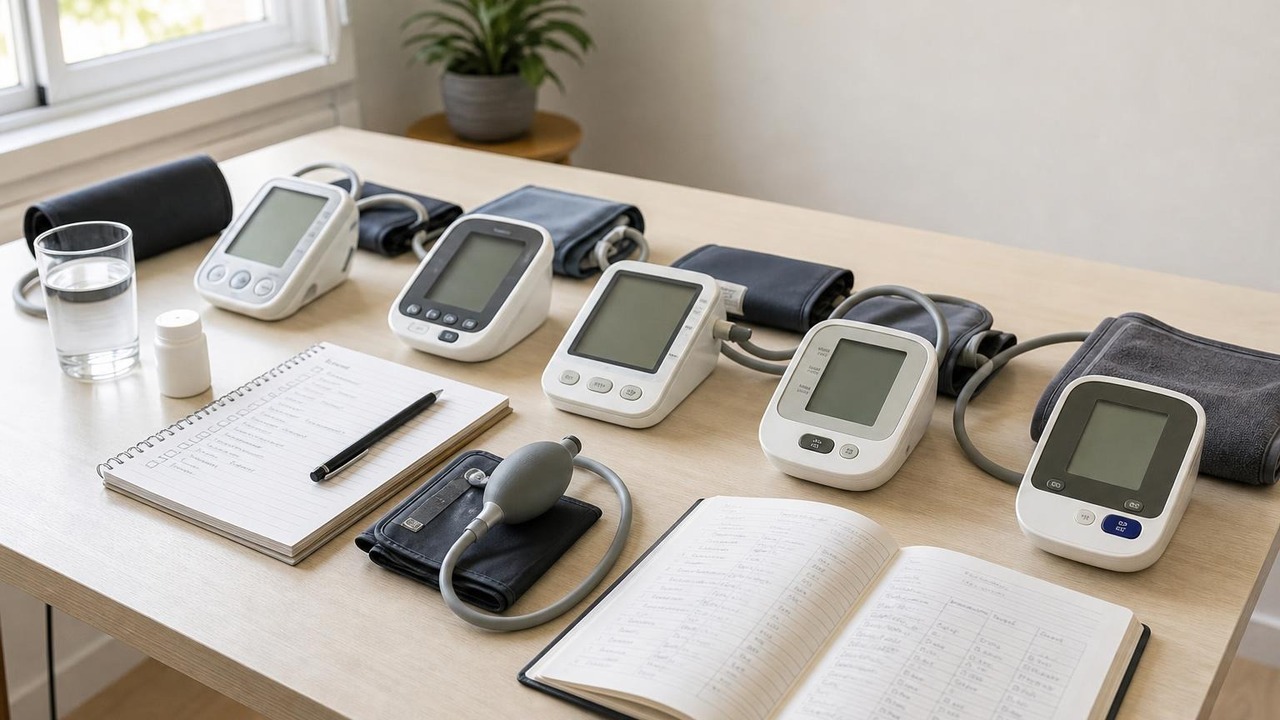
A blood pressure monitor that drains batteries quickly may have the wrong cells, repeated pump cycles, poor contacts, or a power fault. Learn what to check.
If your blood pressure monitor drains batteries fast, do not keep feeding it random replacement cells. Start with the manual for the exact model, install one complete matching set of the specified batteries, and count completed and failed measurement cycles. Repeated inflation, incompatible cells, poor battery contact, or an internal power fault can all shorten—or appear to shorten—battery life.
Rapid battery use is a device-power problem. It does not, by itself, tell you whether your blood pressure is high or low or prove that every completed reading is inaccurate.
Why a blood pressure monitor drains batteries fast
An automatic blood pressure monitor uses most of its obvious power while the pump fills the cuff. Battery life can therefore look unusually short when the machine makes more inflation attempts than you realize, struggles to hold pressure, or runs a multi-reading mode.
The pattern provides useful clues:
| What you notice | What it may mean | First check |
|---|---|---|
| A fresh set lasts many readings but fewer calendar months than expected | Frequent use, multi-reading mode, or extra failed attempts | Count measurement cycles, not just days |
| A low-battery icon returns immediately | Wrong battery type, a mixed set, reversed polarity, poor contact, or a power fault | Exact manual, full matching set, and compartment contacts |
| The screen works but the monitor stops during inflation | Batteries may power the display but not the pump under load | Replace the full specified set once |
| The cuff inflates slowly or repeatedly | Air leak, loose connector, poor fit, movement, or weak power | Battery set plus cuff and tube |
| Batteries lose power while the monitor sits unused | Storage instructions were not followed, cells self-discharged, or the monitor has an idle power fault | Manual, storage interval, and manufacturer support |
| Batteries become hot, swell, leak, or smell unusual | Unsafe battery or equipment condition | Stop using the monitor and remove power only if it is safe to do so |
These clues overlap. They are a troubleshooting map, not a remote diagnosis of the monitor.
Battery-life estimates are model-specific
There is no honest universal answer to how long blood pressure monitor batteries should last. Manufacturers state their estimates under particular conditions, and they do not all use the same unit.
For example, the official OMRON BP5465 instruction manual estimates approximately 500 measurements with new alkaline batteries and the included cuff, while noting that battery type and cuff size matter. The Microlife BP B3 Comfort PC manual lists approximately 580 measurements with new batteries. The A&D UA-767 Plus manual expresses its estimate as about six months at one measurement per day.
Those are examples for three exact models, not promises for every monitor made by those brands. A three-reading average mode can run the pump several times in one session. A failed attempt still used power. So did the extra reading you took after moving, talking, or rewrapping the cuff.
Before deciding that a monitor is defective, write the installation date on a small note and tally actual inflation cycles for one battery set. Include errors and aborted attempts. That gives the manufacturer something more useful than “the batteries did not last long.”
Check a fast-draining automatic blood pressure monitor in this order
1. Confirm the exact power specification
Find the complete model number on the monitor, not just the brand name. Then check its official manual for:
- battery size and chemistry
- required voltage
- whether rechargeable cells are permitted
- whether all cells must be replaced together
- approved AC-adapter details
- storage instructions
Do not assume that every AA or AAA cell behaves the same in every device. Our guide to rechargeable versus replaceable-battery blood pressure monitors explains why rechargeable-cell compatibility is model-specific.
2. Install one complete matching set
Use new batteries of the same brand, chemistry, and age, with every positive and negative end oriented as marked. Check the expiration date. Do not mix one fresh cell with three partly used cells.
The Microlife manual cited above specifies four new 1.5 V alkaline AA batteries for ordinary disposable-cell use. It separately permits NiMH rechargeable cells for that model. The A&D manual says rechargeable batteries will not work in its UA-767 Plus. That contrast is exactly why a generic internet rule is not enough.
If your monitor still shows a low-battery warning after replacement, verify the symbol in the manual before buying another set. A poor connection can resemble rapid drain even when the cells still contain energy.
3. Inspect the compartment without modifying it
With the monitor off and disconnected from wall power, look for a battery that is not seated flat, a loose door, debris, discoloration, moisture, or visible leakage. Do not scrape contacts, bend springs, wedge the battery door shut, or apply household cleaner unless the manufacturer specifically instructs you to do so.
If pressing the door or moving the monitor makes the display flicker, stop the test. That points to an intermittent connection that needs manufacturer attention, not a reason to tape the door tighter.
4. Count extra pump work
A monitor may be using more power because it is doing more work. Look for:
- repeated reinflation during one reading
- several automatic readings in an averaging mode
- failed cycles caused by movement or talking
- a loose cuff that needs additional inflation
- a kinked, cracked, or poorly seated air tube
- a cuff or connector not intended for the model
If the cuff repeatedly fills and then softens, inspect it using our guide to checking a blood pressure cuff for leaks. Do not tape, glue, splice, or open the inflatable bladder. A damaged pressure system can affect both cycle completion and measurement quality.
5. Run one controlled check—not a marathon
After fitting the correct fresh battery set, sit quietly for at least five minutes. Use the correct cuff on bare skin, support your back and arm, keep your feet flat, and stay silent and still. Take one normal reading in the mode you usually use.
The American Heart Association’s scientific statement on blood pressure measurement emphasizes standardized technique and properly validated equipment. A clean test reduces avoidable failed inflations, but it does not calibrate the monitor or prove long-term accuracy.
Record whether the monitor completed a normal inflation-and-deflation cycle, displayed a result, saved it, and showed any icon or error. If it shuts off during the reading, stop repeatedly testing it on your arm and follow the dedicated power-and-air-path checks.
6. Compare only approved power options
If the manual lists an AC adapter, use only the exact approved specification or manufacturer accessory. A plug that physically fits can still have the wrong voltage, polarity, or current characteristics. Do not assume that connecting an adapter recharges disposable batteries inside the monitor.
A monitor that works normally from its approved adapter but rapidly depletes correct batteries may have a battery-compartment or internal power-path problem. Report that pattern to the manufacturer. If neither power source works normally, continued battery swapping is unlikely to solve it.
Does fast battery drain make a reading unreliable?
Not automatically. A normal-looking completed reading is not proven wrong merely because the batteries later ran down quickly. On the other hand, dimming, shutdown, abnormal inflation, a persistent battery warning, or an incomplete cycle means you should fix the power problem before relying on the device for routine tracking.
Keep the original result in your log with a brief note such as “battery warning” or “slow inflation.” After restoring correct power, rest again and take one properly prepared repeat reading. Do not delete a high result simply because the power issue gives you an explanation you would prefer.
If readings remain unexpectedly different after the monitor completes normal cycles, review how to take an accurate blood pressure reading at home. Do not change, skip, or retime medication based on a battery problem or one home number.
When to contact the manufacturer
Stop troubleshooting and contact the manufacturer when:
- a complete specified battery set lasts only a few ordinary readings
- correct batteries lose substantial power while the monitor is switched off
- the compartment, batteries, or adapter becomes warm
- you see leakage, swelling, corrosion, a damaged cable, or a cracked compartment
- the screen resets, flickers, or loses the date repeatedly
- the pump behavior changes and errors continue with correct power and cuff setup
- the approved adapter and batteries produce different abnormal behavior
Have the monitor model, cuff model, battery type, installation date, estimated cycle count, warning symbol, and error code ready. Ask whether the device should be serviced or replaced. Do not open the monitor housing yourself.
Sources
- OMRON BP5465 instruction manual
- Microlife BP B3 Comfort PC instruction manual
- A&D UA-767 Plus instruction manual
- American Heart Association: Measurement of Blood Pressure in Humans
FAQ
Q: How long should batteries last in a blood pressure monitor?
A: There is no universal lifespan. Official estimates vary by exact model, battery type, cuff, measurement mode, and how many successful or failed inflation cycles occur. Use the manual’s estimate as a reference, then count actual cycles rather than judging only by calendar time.
Q: Do failed blood pressure readings use battery power?
A: Yes. If the pump ran, the monitor used power even when no final reading appeared. Frequent errors, repeated inflation, and multi-reading modes can make one week of use include far more pump cycles than the number of results saved in memory.
Q: Can I use rechargeable batteries to reduce replacement costs?
A: Only if the manual for the exact model permits them. Some monitors support specific rechargeable chemistry, while others require 1.5 V alkaline cells. Never charge removable cells inside the monitor unless its instructions explicitly describe that function.
Q: Should I replace a monitor that drains batteries quickly?
A: First test one complete specified battery set and count cycles. If the monitor drains correct batteries after only a few ordinary readings, loses power while switched off, becomes warm, or behaves abnormally on both batteries and its approved adapter, contact the manufacturer about service or replacement.
Bottom line
When a blood pressure monitor drains batteries fast, verify the exact battery specification, replace the whole set, count every inflation cycle, check the compartment and air path, and run one controlled measurement. Persistent rapid drain with correct power is a service issue—not a reason to keep buying batteries or second-guessing every number.
If a persistent power fault means the monitor needs replacing, compare upper-arm options built for straightforward daily use.
This article is educational and not medical advice. Consult a qualified clinician before making treatment decisions or changing medication based on home readings.
Top 5 picks
Best Blood Pressure Monitors For Seniors 2026
Five upper-arm monitors ranked with published scorecards—setup friction, comfort, readability, power convenience, and repeatable accuracy—so you can compare models before you buy.
See our Top 5 blood pressure monitor picksHome-monitoring advice is only useful if it is easy to verify and act on correctly.
We write explainers to be understandable to readers, search engines, and AI answer systems.
Compare our Top 5 blood pressure monitor picks for 2026, then track readings over time with consistent technique.


