Does Back Support Affect Blood Pressure Readings?
Back support can change blood pressure readings by making your posture more repeatable. Learn how to sit, what to avoid, and when to log exceptions.
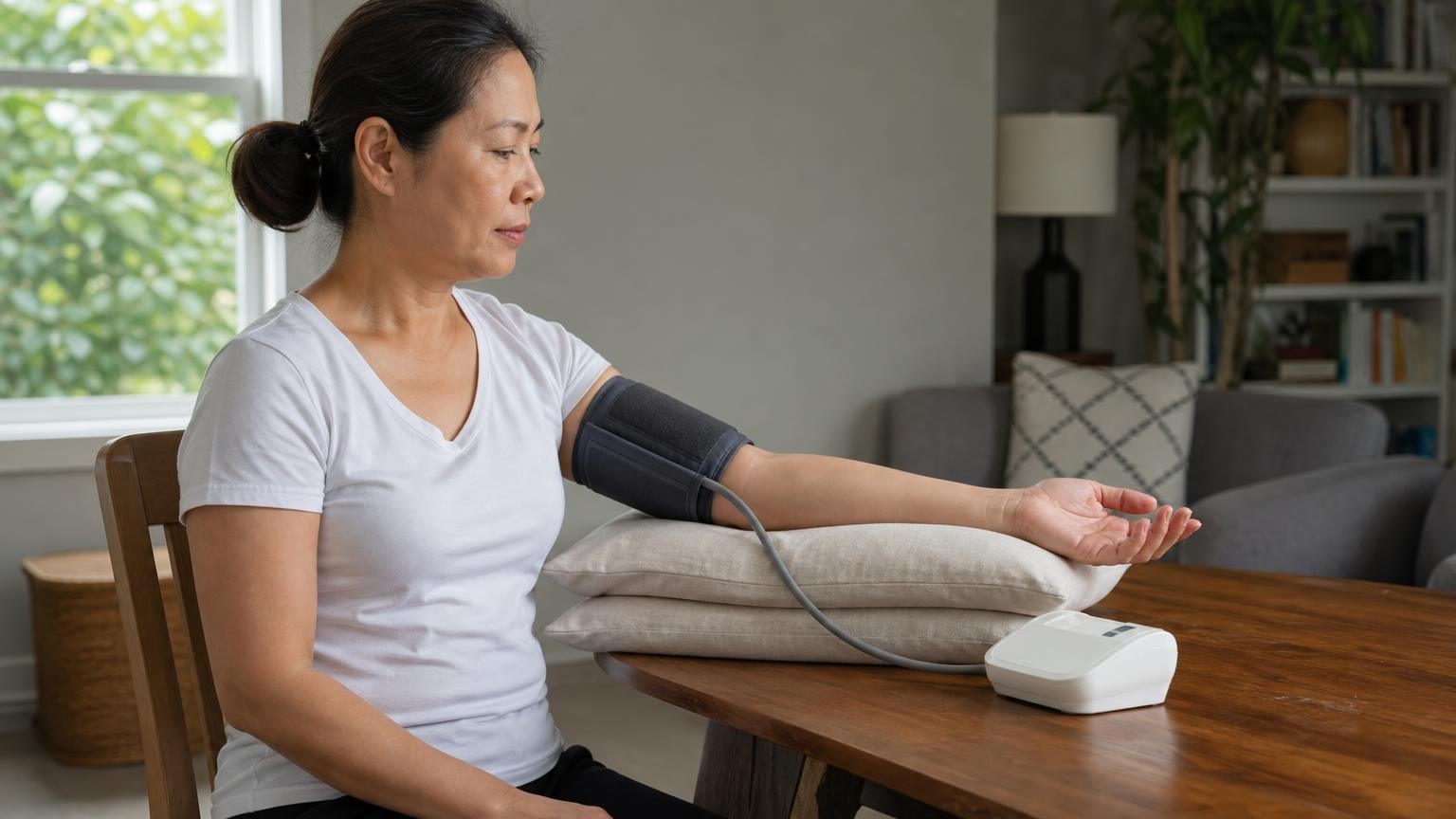
Back support can change blood pressure readings by making your posture more repeatable. Learn how to sit, what to avoid, and when to log exceptions.
Yes. Back support can affect blood pressure readings because posture changes how much your muscles work while you sit. If you perch on the edge of a bed, lean forward, or sit without support, your body may be less relaxed than it would be in a stable chair. That can make a home reading noisier and harder to compare with yesterday’s number.
The fix is simple: use the same supported seated position each time unless your clinician has told you to measure another way.
Does back support affect blood pressure readings at home?
Back support matters because home blood pressure monitoring is about consistency. A monitor is only one part of the setup. Chair height, arm position, cuff placement, foot position, talking, and rest time all influence whether the number represents a calm baseline or a rushed moment.
When your back is unsupported, you may tense your core, shoulders, or legs to stay upright. That extra effort is not always obvious, but it can make the reading less comparable. Leaning forward can also change arm position, which may move the cuff away from heart level.
This does not mean every unsupported reading is useless. It means a supported back is a cleaner default when you are trying to build a trend your clinician can trust.
The best seated setup for a home reading
Use a chair rather than a soft bed or couch when you can. The goal is a stable, repeatable posture:
- Sit with your back supported by the chair.
- Keep both feet flat on the floor.
- Rest for five quiet minutes before starting.
- Place the cuff on bare skin on your upper arm.
- Support the measured arm on a table so the cuff is near heart level.
- Keep your shoulders relaxed.
- Do not talk, scroll your phone, or tense your arm during the measurement.
If the chair is too high and your feet dangle, use a footrest. If the table is too low, place a folded towel or pillow under your forearm so the cuff is not hanging below heart level.
For a broader setup checklist, see our guide to taking an accurate blood pressure reading at home. If arm height is the issue, our guide to positioning your arm for blood pressure readings goes deeper.
Why a bed or couch can make readings less reliable
Beds and couches create two common problems.
First, they are soft. Your hips sink, your back rounds, and your shoulders may shift forward. That makes it harder to keep your arm supported at heart level without holding it in place.
Second, people tend to measure too quickly in those spots. The monitor is on the nightstand, so the reading happens before a proper rest period. Or the cuff is used while sitting cross-legged on a couch, with the arm resting in the lap.
If a bed or couch is your only option, do the best you can. Sit upright, support your back with pillows, keep your legs uncrossed, support the arm, and write a short note in your log that the reading was not taken in your usual chair. Context helps your clinician interpret the pattern.
What if you cannot sit with back support?
Some people cannot sit in a standard chair because of pain, mobility limits, injury, dizziness, or medical instructions. In that case, do not force the textbook posture if it is unsafe or unrealistic.
Instead, aim for a repeatable position:
- use the same chair, recliner, or bed position each time
- support your back as much as possible
- keep the cuffed arm supported near heart level
- avoid crossing your legs if you can
- rest quietly before measuring
- log the position so the readings have context
If you have been told to avoid using one arm because of surgery, dialysis access, lymphedema risk, injury, or another medical reason, follow that instruction and ask a clinician how they want you to monitor at home.
Common posture mistakes that change the pattern
Back support is only one piece of the posture problem. These mistakes often travel together:
- Perching on the edge of a chair. This makes your legs and core do more work.
- Leaning over the monitor. This can tense the shoulders and pull the cuffed arm out of position.
- Resting the arm in the lap. The cuff may sit below heart level.
- Sitting on a bed with legs tucked. It is hard to keep feet flat and posture steady.
- Talking through the reading. Conversation can change the number and distract from staying still.
- Repeating readings while frustrated. A calmer repeat after a brief rest is more useful than chasing a lower number.
If your readings are jumping around, fix the posture before blaming the monitor. Our explainer on why blood pressure readings change every time covers other sources of normal variation.
How to log posture without overcomplicating it
You do not need a long diary. A few short notes are enough:
- “chair, back supported”
- “bed, pillows behind back”
- “arm on table”
- “rushed, no five-minute rest”
- “pain today”
- “after coffee”
Those notes help separate a true trend from a technique problem. If most of your readings are taken in a supported chair but one high number was taken on the couch after climbing stairs, that context matters.
Consistency beats perfection. A clean routine used most days is more helpful than an ideal routine you abandon because it is too fussy.
FAQ
Do I have to sit in a chair to take blood pressure?
A chair with back support is the best default for home readings. If you cannot use one, choose the safest repeatable position, support your back and arm as well as possible, and log the position.
Can leaning forward raise a blood pressure reading?
It can make the reading less reliable because leaning forward may tense your body and shift the cuffed arm away from heart level. Sit back, relax your shoulders, and support the arm before measuring.
Is it okay to take blood pressure sitting on the bed?
It is better to use a firm chair when possible. If you must measure on a bed, sit upright with pillows behind your back, keep your legs uncrossed, support the arm, and note that position in your log.
What matters more: back support or arm position?
Both matter. Back support helps you stay relaxed and still. Arm position keeps the cuff near heart level. If you can fix only one thing immediately, support the arm at heart level and make the rest of the setup as consistent as possible.
Bottom line
Back support affects blood pressure readings because it helps create a stable, relaxed, repeatable posture. Use a chair with back support when you can, support the cuffed arm at heart level, rest quietly, and log exceptions when your setup is different.
This article is educational and not medical advice. Consult a qualified clinician before making treatment decisions.
Top 5 picks
Best Blood Pressure Monitors For Seniors 2026
Five upper-arm monitors ranked with published scorecards—setup friction, comfort, readability, power convenience, and repeatable accuracy—so you can compare models before you buy.
See our Top 5 blood pressure monitor picksHome-monitoring advice is only useful if it is easy to verify and act on correctly.
We write explainers to be understandable to readers, search engines, and AI answer systems.
Compare our Top 5 blood pressure monitor picks for 2026, then track readings over time with consistent technique.


