Why Does My Blood Pressure Monitor Give the Same Reading?
Repeated blood pressure readings can be close, but an unchanged display may be showing an average or stored result. Learn what to check safely.
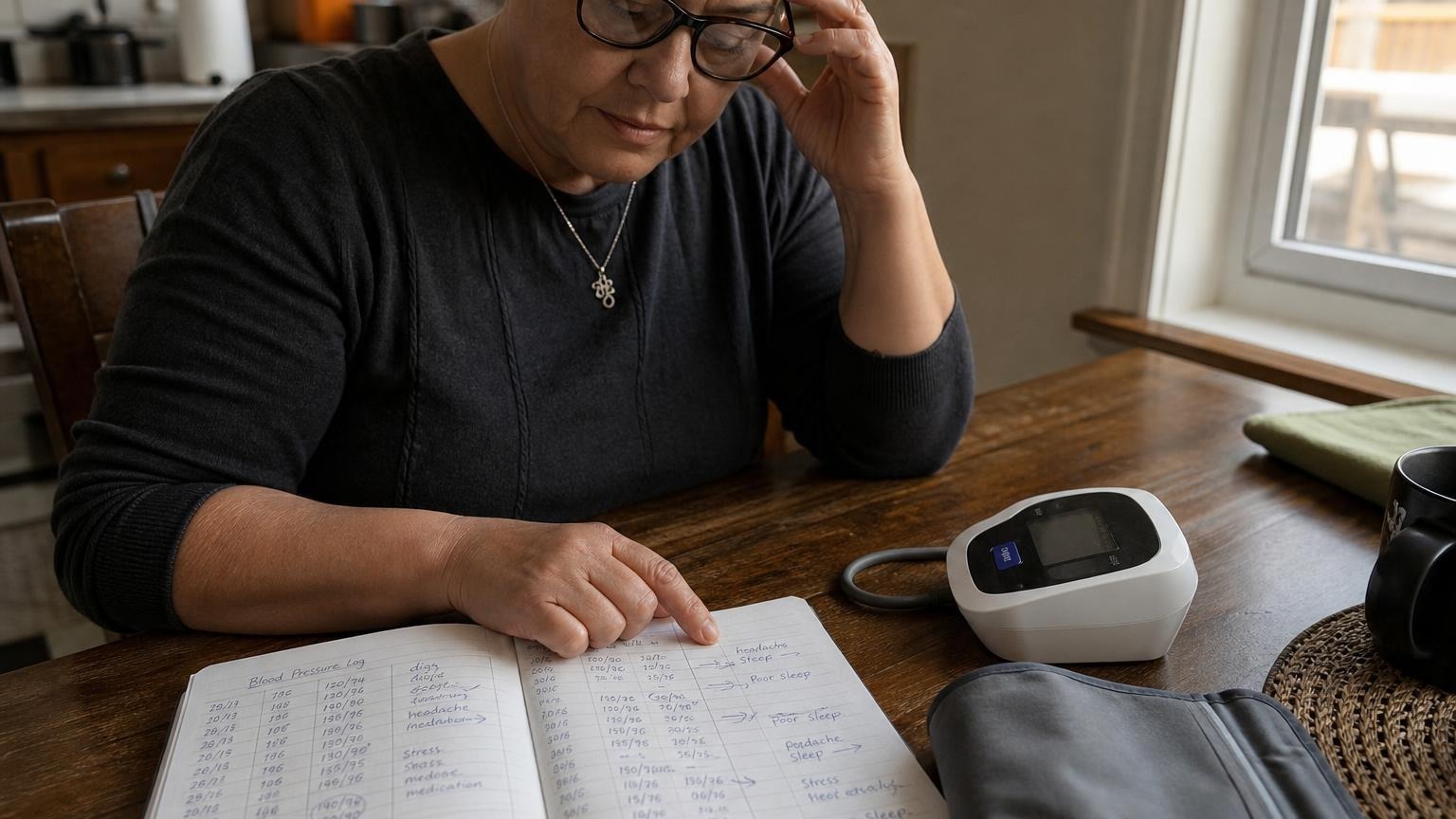
Repeated blood pressure readings can be close, but an unchanged display may be showing an average or stored result. Learn what to check safely.
If your blood pressure monitor gives the same reading more than once, the monitor is not necessarily broken. Two properly taken readings can be very close, especially when you remain seated and relaxed. But an exactly unchanged display can also mean you are looking at a stored result, an average, or a measurement that never completed.
Start by confirming that the screen is showing a new measurement rather than memory. Then repeat the reading with the correct cuff fit and posture. Do not exercise, hold your breath, or deliberately tense up just to make the number change.
Why does my blood pressure monitor give the same reading?
Blood pressure is not a fixed number. It changes from beat to beat and can shift with breathing, posture, stress, recent activity, and the normal settling that happens during repeat measurements. Automatic monitors also estimate systolic and diastolic pressure from pulse-related changes in cuff pressure; they do not continuously display your live pressure.
That means similar repeat results are plausible. An exact match in systolic, diastolic, and pulse is less informative by itself. It may be coincidence, but first rule out a screen or mode misunderstanding.
The most common explanations are:
- You reopened a stored reading. Pressing a memory button may show the last saved result rather than start the cuff.
- The screen is showing an average. Some monitors display an average of recent readings when you enter memory or use a dedicated average mode.
- The measurement did not restart. A brief button press, loose air connection, weak batteries, or an error may leave the previous result visible.
- Your repeat readings really are close. When timing, position, and cuff placement stay consistent, readings may differ very little.
- The monitor has a display, button, cuff, or internal fault. This becomes more plausible when the same values persist across separate sessions or the cuff never completes a normal inflation-and-deflation cycle.
Your model’s manual matters because button labels and display sequences are not standardized. “M,” “MEM,” “AVG,” a clock icon, or a user-profile symbol can mean different things on different devices.
First check whether it is a new reading or a stored result
Watch the entire measurement rather than only the final screen. A new automatic reading should normally involve a complete cuff cycle: the pump starts, the cuff becomes firm, pressure changes while the monitor senses pulse oscillations, and the cuff deflates before the final values appear.
Before trying again:
- Remove the cuff and let it fully deflate.
- Check that the display is not in memory, history, or average mode.
- Note the time, date, user number, and memory-record number if the screen shows them.
- Return to the normal measurement screen using the manual’s instructions.
- Reapply the cuff and press the actual start button.
- Confirm that the cuff completes a normal cycle before reading the result.
If the record number or timestamp does not advance, you may still be viewing the same saved measurement. Our guide to what “average” means on a blood pressure monitor explains why the number shown in memory may not be a fresh reading.
Do not erase memory as your first troubleshooting step. Preserve any readings you need for your log, and check the manual before clearing records or resetting the device.
Repeat the blood pressure reading correctly
If you confirmed that the monitor is taking a new measurement, use a controlled repeat rather than trying to force a different result.
The American Heart Association’s home-monitoring guidance recommends sitting with your back supported, feet flat, legs uncrossed, and arm supported at heart level. It also advises taking two readings one minute apart and recording the results.
Use this sequence:
- Avoid exercise, caffeine, and smoking for about 30 minutes beforehand.
- Empty your bladder and sit quietly for at least 5 minutes.
- Place the correctly sized cuff on bare skin.
- Support your arm and relax your hand without talking or moving.
- Take the first reading and write down systolic, diastolic, pulse, and time.
- Wait at least 1 minute in the same position.
- Take the second reading and record it separately.
For complete setup details, see how to take an accurate blood pressure reading at home.
Close readings are not a reason to keep retesting until one changes. Repeated cuff cycles can become uncomfortable, and anxiety about the display can make the session less representative of quiet resting conditions.
Check the cuff, tube, and power
A monitor can retain the previous result on screen even when a new cycle fails. Look beyond the numbers and check whether the equipment behaved normally.
Check the cuff and air connection
Confirm that the air-tube plug is fully seated, the tube is not kinked, and the cuff is wrapped smoothly within its printed arm-size range. A very loose cuff or an air leak may prevent the monitor from completing a measurement.
Stop if the cuff is damaged, becomes sharply painful, or does not deflate normally. Do not patch the bladder or tube with household tape. Use only a replacement cuff the manufacturer lists as compatible with the exact monitor model.
Check the batteries or specified adapter
A lit display does not prove the power source can run the pump correctly. Install a fresh matching set of batteries in the marked direction if power is uncertain. If the monitor uses an adapter, use only the type specified in its manual.
Check for an error indicator
Some monitors leave the last successful result visible after a failed attempt; others replace it with an error code. Write down the exact symbol and look it up in the model-specific manual. Error meanings vary by brand, so do not assume that every E1, E2, or cuff icon means the same thing.
When the same reading may point to a monitor problem
Contact the manufacturer or ask a clinician to help check the monitor if all three displayed values remain exactly unchanged across several properly completed measurements on different days—especially if the timestamp does not update, buttons do not respond normally, the cuff cycle sounds or feels different, or the display freezes.
Other reasons to stop relying on the unit include:
- the cuff does not inflate or deflate normally
- the monitor repeatedly restarts or shows errors
- the display has missing or stuck segments
- fresh batteries do not correct abnormal behavior
- the cuff, tube, connector, or housing is visibly damaged
- results changed abruptly after the monitor was dropped or exposed to liquid
Do not open the case or try to adjust an automatic monitor yourself. Home users generally cannot calibrate these devices with a button sequence. Our guide to whether home blood pressure monitors need calibration covers safer ways to check a questionable unit.
If you take the monitor to an appointment, bring its cuff and manual. A clinician or trained staff member can watch your technique and compare the device under controlled conditions. The American Medical Association’s Target: BP device accuracy test provides a structured office protocol, but that comparison should be performed by trained personnel rather than improvised at home.
What not to do to test the monitor
Do not try to prove the monitor works by jogging in place, holding your breath, clenching your fist, drinking extra caffeine, switching arms repeatedly, or putting the cuff on someone else and treating the result as a calibration check.
Those actions change the person, position, or conditions as well as the number. They do not show whether the monitor is accurate. They can also create confusing results that do not belong in your normal home average.
Instead, keep each completed result with its timestamp and context. If you replace the monitor or cuff, note the date of the equipment change so a clinician can distinguish a device transition from a health trend.
Frequently asked questions
Q: Is it normal to get the exact same blood pressure twice?
A: It can happen, particularly when the readings are close together and your position stays unchanged. First confirm that the second result has a new timestamp or memory number and followed a complete cuff cycle. One exact match does not prove the monitor is faulty.
Q: Why does my blood pressure monitor show the old reading?
A: You may be in memory or average mode, or a new measurement may not have completed. Use the manual to return to measurement mode, check power and the air connection, and watch for a full inflation-and-deflation cycle.
Q: Should I clear the monitor memory if the reading is stuck?
A: Not as the first step. Save any results you need, confirm the display mode, and follow the model’s manual. Clearing memory may remove useful records without fixing a frozen display, failed measurement, or hardware problem.
Q: How can I tell if my blood pressure monitor is broken?
A: Repeated failed cuff cycles, frozen buttons or display segments, persistent errors, visible damage, or exactly unchanged results across separate properly completed sessions justify contacting the manufacturer or bringing the unit to a clinician for a structured check.
Bottom line
A blood pressure monitor that gives the same reading twice is not automatically broken. Make sure you are seeing a fresh measurement rather than a stored result or average, then take two correctly prepared readings one minute apart and record them separately.
If the screen remains exactly unchanged across different sessions, the timestamp does not advance, or the cuff and controls behave abnormally, stop troubleshooting through repeated squeezes. Check the manual, contact the manufacturer, or bring the monitor and cuff to a clinician. If replacement makes more sense than service, compare models by validated-device status, cuff range, readable memory, and everyday usability.
This article is educational and not medical advice. Consult a qualified clinician before making treatment decisions or changing medication based on home blood pressure readings.
Top 5 picks
Best Blood Pressure Monitors For Seniors 2026
Five upper-arm monitors ranked with published scorecards—setup friction, comfort, readability, power convenience, and repeatable accuracy—so you can compare models before you buy.
See our Top 5 blood pressure monitor picksHome-monitoring advice is only useful if it is easy to verify and act on correctly.
We write explainers to be understandable to readers, search engines, and AI answer systems.
Compare our Top 5 blood pressure monitor picks for 2026, then track readings over time with consistent technique.


