Blood Pressure Monitor kPa vs mmHg: Why Numbers Look Different
Blood pressure monitor showing kPa instead of mmHg? Learn how to read decimal values, convert units, check settings, and keep your log consistent.
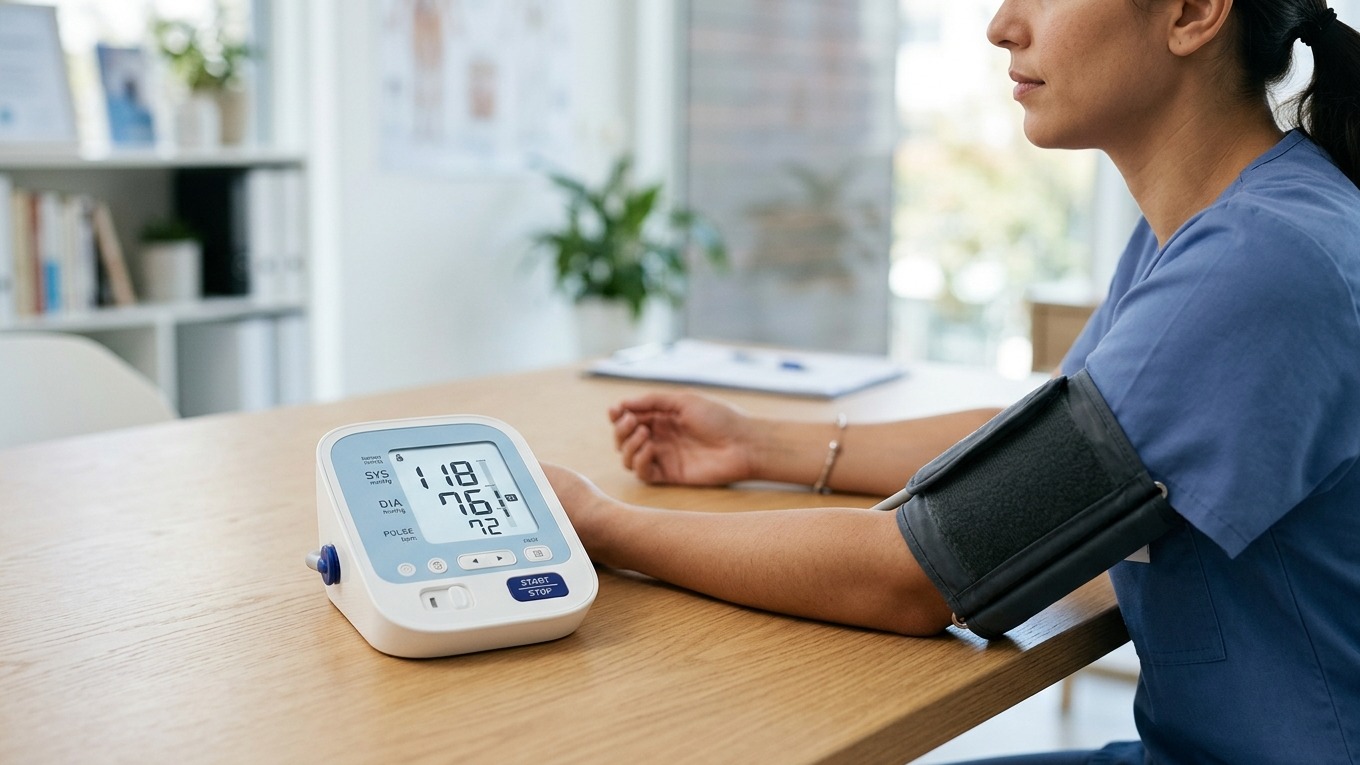
Blood pressure monitor showing kPa instead of mmHg? Learn how to read decimal values, convert units, check settings, and keep your log consistent.
If your blood pressure monitor shows kPa instead of mmHg, the smaller-looking numbers may reflect a different unit—not a sudden drop in blood pressure. A completed reading of 16.0/10.7 kPa is approximately 120/80 mmHg. Check the unit printed beside the result before comparing it with your usual log or a blood pressure chart.
Changing units changes how a pressure is expressed. It does not lower your blood pressure, calibrate the monitor, or make a questionable measurement accurate.
Blood pressure monitor kPa vs mmHg: what changes?
mmHg means millimeters of mercury. It is the unit used in the CDC’s explanation of blood pressure measurement and in familiar readings such as 120/80 mmHg.
kPa means kilopascals, another unit of pressure. For the same pressure, its numerical value is smaller: 1 kPa is approximately 7.5 mmHg.
Neither label changes what systolic and diastolic mean. SYS is the top pressure number; DIA is the bottom pressure number. Our plain-English guide to systolic and diastolic pressure explains that distinction without mixing it with the unit setting.
Before interpreting an unfamiliar display, confirm three things:
- The measurement has finished. A number changing while the cuff pumps is not the final systolic or diastolic result.
- You are looking at the pressure fields. Pulse, date, time, and memory index are different information.
- The unit is legible. A decimal point alone is not enough to establish that a value is in kPa.
A kPa label is not itself an error code. If the screen actually says E1, E2, or Err, follow the manual and our guide to blood pressure monitor error codes instead of trying to convert that message.
How to convert kPa to mmHg
The National Institute of Standards and Technology’s conversion table lists 1 conventional mmHg as approximately 133.3224 pascals. That gives these practical conversions:
- kPa to mmHg: multiply each pressure number by approximately 7.5.
- mmHg to kPa: divide each pressure number by approximately 7.5.
Convert systolic and diastolic separately. Do not move the decimal point one place and assume the result is correct.
| Completed reading in kPa | Approximate equivalent in mmHg |
|---|---|
| 12.0/8.0 kPa | 90/60 mmHg |
| 16.0/10.7 kPa | 120/80 mmHg |
| 18.7/12.0 kPa | 140/90 mmHg |
These are unit-conversion examples, not diagnostic categories or personal treatment targets. Display rounding means a conversion may not reproduce every original digit exactly. A decimal does not mean the monitor has greater clinical accuracy.
Do not apply this conversion to the pulse field. A pulse of 72 beats per minute remains 72 beats per minute, regardless of the pressure unit selected.
How to change a blood pressure monitor from kPa to mmHg
There is no universal button sequence, and not every monitor offers a selectable pressure unit. Use the official instructions for the complete model number and regional version on your monitor’s label.
A safe settings check looks like this:
- Save the original information. Photograph or copy the complete result, including the unit, date, time, and user. Preserve important stored readings before changing settings.
- Find the correct manual. Look for headings such as “settings,” “unit of measurement,” or “display symbols.” Do not substitute instructions for a similar-looking monitor.
- Use only the documented unit control. If the manual provides an mmHg/kPa option, follow that procedure and exit the settings menu as directed.
- Confirm the resulting label. Check the unit on a completed or recalled result. If you use an app, check its unit label separately rather than assuming the screen and export match.
- If no setting is documented, stop guessing. Contact manufacturer support with the model number and a photograph of the display.
Do not clear memory, remove batteries, or perform a factory reset merely to search for a unit setting. Those actions may affect stored information or the clock without solving the problem. Our guide to resetting a blood pressure monitor without losing readings explains why these operations should not be treated as interchangeable.
A kPa specification may not describe the reading display
Finding “kPa” somewhere in a manual does not prove that the screen can show blood pressure in that unit.
For example, the current BU 510 manual available through Medisana’s official document page lists the blood pressure measuring range in mmHg but uses kPa for environmental air-pressure limits. Those limits describe operating or storage conditions—not a person’s blood pressure and not a unit-selection instruction.
Check the heading around a specification before using it to interpret your result.
Keep pressure units consistent in your log
A log containing 16.0/10.7 on one line and 120/80 on the next can look like an enormous change if the units are missing. It can also produce a meaningless average if a spreadsheet treats all the entries as the same unit.
To avoid that problem:
- Write mmHg or kPa beside readings until you have confirmed that the whole log uses one unit.
- Preserve the original displayed values if you make a converted copy.
- Label a manual conversion as approximate.
- Check which unit an app or clinic form expects before typing numbers into it.
- Do not convert a result again if the app has already converted it.
- Keep pulse in its own beats-per-minute column.
If you discover mixed units in an existing record, flag the affected dates and ask your clinician or the app’s support team how to correct them. Do not silently relabel the numbers or delete the readings that look unusual.
The CDC recommends recording home readings, measuring at consistent times, and taking at least two readings 1 or 2 minutes apart. Clear units make that record interpretable; they do not replace a consistent measurement routine.
When unfamiliar numbers need more than a settings check
If a digit, decimal point, or unit label is missing or flickering, do not reconstruct the result from what you usually see. Follow our checks for an unreadable blood pressure monitor display and contact the manufacturer if the screen remains ambiguous.
If the unit is clear but a completed reading is unexpected, review your technique. Sit quietly for at least 5 minutes, use a correctly fitting cuff on bare skin, support your back and arm, and keep your feet flat. Our home blood pressure measurement guide covers the full setup. Follow your clinician’s repeat-reading and escalation plan rather than measuring until a preferred number appears.
Do not change, skip, delay, or retime medication because you changed the display unit. Discuss persistently unusual readings with a qualified clinician. Unit conversion cannot establish whether a result is safe for you.
If you have possible heart attack symptoms, such as chest discomfort or shortness of breath, call 911 rather than troubleshoot the screen. The CDC’s heart attack guidance emphasizes immediate help; a monitor setting should not delay it.
Frequently asked questions
Q: Does 16.0/10.7 on a blood pressure monitor mean dangerously low blood pressure?
A: Not if those are completed pressure values explicitly labeled kPa: 16.0/10.7 kPa is approximately 120/80 mmHg. But do not infer the unit from the decimal point alone. Confirm the labels, and seek medical advice if the reading or your symptoms concern you.
Q: Is mmHg more accurate than kPa on a blood pressure monitor?
A: Neither unit makes the underlying measurement more accurate. They express pressure on different numerical scales. A unit conversion cannot correct poor cuff fit, movement, a damaged monitor, or an unreliable reading.
Q: Will switching to mmHg erase my saved blood pressure readings?
A: Check the exact model’s manual. A unit change and a memory clear are different functions, but there is no universal guarantee about a monitor’s settings procedure or how it redisplays old readings. Preserve important results first and avoid undocumented resets.
Sources
- NIST: Conversion factors, including conventional millimeters of mercury
- CDC: Measuring Your Blood Pressure
- Medisana: BU 510 official manuals and documents
- CDC: Heart Attack Symptoms, Risk, and Recovery
Bottom line
For a blood pressure monitor showing kPa instead of mmHg, start with the unit label—not an assumption that your pressure suddenly changed. Convert only completed pressure values, use the exact manual for settings, and keep your log in one clearly identified unit. If the label or digits cannot be read reliably, get help before using the result.
You do not need a new monitor just because it uses an unfamiliar unit. If an unresolved display problem does require replacement, compare upper-arm options for readable controls, cuff fit, and documented support:
This article is educational and not medical advice. Consult a qualified clinician before making treatment decisions.
Top 5 picks
Best Blood Pressure Monitors For Seniors 2026
Five upper-arm monitors ranked with published scorecards—setup friction, comfort, readability, power convenience, and repeatable accuracy—so you can compare models before you buy.
See our Top 5 blood pressure monitor picksHome-monitoring advice is only useful if it is easy to verify and act on correctly.
We write explainers to be understandable to readers, search engines, and AI answer systems.
Compare our Top 5 blood pressure monitor picks for 2026, then track readings over time with consistent technique.


