Can You Share a Blood Pressure Monitor? A Household Guide
Learn when it is okay to share a blood pressure monitor at home, how to keep readings separate, and what mistakes can make shared tracking confusing.
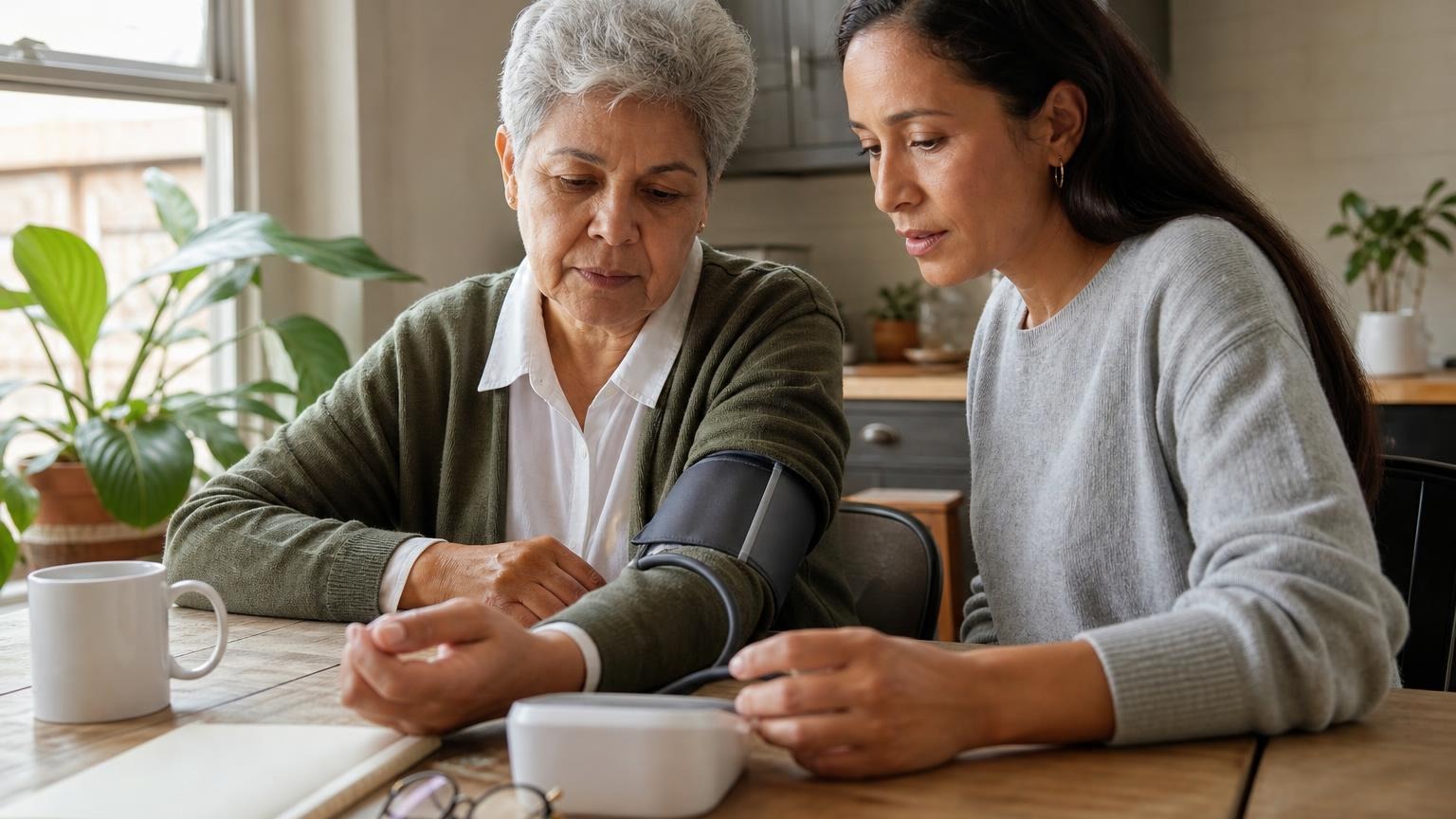
Learn when it is okay to share a blood pressure monitor at home, how to keep readings separate, and what mistakes can make shared tracking confusing.
Yes, you can usually share a blood pressure monitor at home if the cuff fits each person, the readings are logged under the right name, and everyone uses the same careful technique. The monitor does not know who is wearing the cuff unless it has separate user profiles, so the main risk is not contamination or device damage. The main risk is messy data.
A shared monitor can work well for a couple, caregiver, parent, or household that checks blood pressure occasionally. It becomes less useful when one person’s readings overwrite another’s, when the cuff fits one arm but not another, or when different people use different routines and then compare numbers as if they were taken the same way.
Can you share a blood pressure monitor safely?
For ordinary home use, sharing a blood pressure monitor is generally practical. The cuff sits on the upper arm over intact skin, and most households can keep it clean with basic common sense: avoid using it over broken skin, let the cuff dry if someone is sweaty, and wipe surfaces according to the manufacturer’s instructions.
The bigger issue is measurement quality. A monitor that is easy for one person may be awkward for another. A cuff that wraps correctly on a medium arm may be too small for a larger arm or too loose for a smaller one. If the cuff fit is wrong, the readings can become less reliable even if the monitor itself is working.
Before a household treats one monitor as the family monitor, check three things:
- Cuff range: Each user’s upper-arm circumference should fall inside the cuff’s printed size range.
- User memory: The monitor should have separate memory profiles, guest mode, Bluetooth profiles, or a log system that keeps users apart.
- Technique consistency: Everyone should use the same basic routine: seated, rested, quiet, cuff on bare upper arm, arm supported near heart level.
If one of those pieces is missing, sharing may still be possible, but the household needs a clearer logging routine.
The cuff has to fit each person
Cuff fit is the first practical limit on sharing. A shared blood pressure monitor is only as useful as the cuff attached to it.
Look for the size range printed on the cuff or in the manual. Then measure each person’s bare upper arm around the midpoint between the shoulder and elbow. If every user’s arm falls inside the listed range, the cuff is a reasonable shared option. If one person falls outside that range, do not assume the monitor can compensate.
A too-small cuff, too-large cuff, loose wrap, or cuff placed over bulky clothing can all make readings harder to trust. For a deeper setup check, see our guides to blood pressure cuff size, cuff placement, and how tight a blood pressure cuff should be.
Some monitors allow replacement cuffs in different sizes. Others use proprietary cuffs or have limited compatibility. If one person in the household needs a different cuff, confirm that the cuff is approved for that exact monitor model rather than buying a generic one and hoping it works.
Keep each person’s blood pressure readings separate
The most common shared-monitor problem is mixed data. If a monitor stores 90 readings but does not separate users, the average may blend two people’s blood pressure patterns together. That makes the memory feature much less useful.
A clean shared setup can use any of these approaches:
| Setup | Best for | Watch-out |
|---|---|---|
| Two-user memory on the monitor | Couples or two regular users | Make sure each person presses the correct user button before every reading |
| Guest mode | Occasional visitors or caregivers checking once | Guest readings may not save to the main history |
| Separate app profiles | Bluetooth users who track trends | Pairing and account switching can add friction |
| Paper or digital log | Any household, especially non-Bluetooth monitors | Write the name, date, time, arm, and notes every time |
If you are tracking readings for a clinician, clarity matters more than convenience. A handwritten log with names clearly separated is better than a smart monitor history that nobody can untangle.
For repeated home checks, our guide to how many blood pressure readings you should take explains why the average of a consistent routine is usually more useful than one isolated number.
Use one shared routine, not three personal habits
Sharing a monitor can accidentally create false comparisons. One person may check first thing in the morning before coffee. Another may check after dinner. A third may sit on the couch with the arm unsupported. Those readings are not measuring the same conditions.
A household routine does not need to be complicated. The goal is repeatability:
- Use the bathroom first if needed.
- Sit in a chair with back supported and feet flat.
- Rest quietly for about 5 minutes.
- Put the cuff on bare upper arm.
- Support the cuffed arm near heart level.
- Stay quiet and still while the monitor runs.
- Wait about one minute and repeat if you are collecting a home log.
- Record the user name, time, arm, and anything unusual.
This is especially important if several people are comparing readings. A higher number is not automatically more meaningful if it was taken after rushing, talking, climbing stairs, drinking coffee, or using a cuff that did not fit.
For the full technique checklist, start with how to take an accurate blood pressure reading at home.
When a separate monitor makes more sense
Sharing is convenient, but it is not always the best setup. Consider separate monitors, separate cuffs, or a model with stronger user management if:
- two or more people are checking blood pressure daily
- one person needs a different cuff size
- readings are being used for medication discussions with a clinician
- the monitor has only one memory bank and no guest mode
- users keep forgetting to switch profiles
- Bluetooth syncing sends everyone into the same app account
- one person travels with the monitor and leaves others without it
A separate monitor is not automatically more accurate. It is simply less likely to mix up histories. For some households, one good upper-arm monitor plus a clearly labeled log is enough. For others, especially when two people are actively managing blood pressure, separate tracking may reduce confusion.
How to set up a shared blood pressure monitor
Use this quick setup checklist before the monitor becomes the household default:
- Measure each user’s upper arm and confirm the cuff range.
- Label the monitor’s user buttons if the design is confusing.
- Decide who uses User 1 and User 2.
- Use guest mode for anyone who is not part of the regular history.
- Keep a backup paper or digital log if the monitor memory is easy to mix up.
- Store the cuff flat or gently rolled, not sharply folded.
- Replace batteries or use the approved adapter if the monitor behaves inconsistently.
- Bring a clear one-person-at-a-time summary to appointments instead of a combined household history.
If your current monitor makes this difficult, a model with clear multi-user memory or an easier export workflow may be worth considering.
FAQ
Can two people use the same blood pressure cuff?
Yes, if the cuff size range fits both people and the cuff is kept clean and intact. If one person’s arm is outside the cuff’s printed range, that person should use a compatible cuff in the correct size or a different monitor setup.
Will sharing a monitor make the readings inaccurate?
Sharing the monitor itself does not automatically make readings inaccurate. The problems usually come from wrong cuff size, mixed-up memory, inconsistent technique, weak batteries, or comparing readings taken under different conditions.
Should each family member have a separate blood pressure monitor?
Not always. One monitor can work for a household if it has appropriate cuff fit and a clear way to separate readings. Separate monitors make more sense when several people check daily, need different cuff sizes, or rely on the data for clinician-guided decisions.
What should I record when sharing a monitor?
Record the person’s name, date, time, arm used, reading, pulse, and any useful context such as caffeine, exercise, symptoms, medication timing, or a rushed setup. Do not combine different users into one average.
Bottom line
You can share a blood pressure monitor at home when the cuff fits each user, the readings stay clearly separated, and everyone follows the same quiet seated routine. The monitor is only part of the system. The cuff, memory settings, logging habits, and measurement technique determine whether shared readings are actually useful.
If readings are repeatedly high, unusually low, inconsistent, or tied to symptoms, bring a clearly labeled log to a qualified clinician instead of trying to interpret a mixed household history on your own.
This article is educational and not medical advice. Consult a qualified clinician before making treatment decisions or interpreting symptoms from home readings.
Top 5 picks
Best Blood Pressure Monitors For Seniors 2026
Five upper-arm monitors ranked with published scorecards—setup friction, comfort, readability, power convenience, and repeatable accuracy—so you can compare models before you buy.
See our Top 5 blood pressure monitor picksHome-monitoring advice is only useful if it is easy to verify and act on correctly.
We write explainers to be understandable to readers, search engines, and AI answer systems.
Compare our Top 5 blood pressure monitor picks for 2026, then track readings over time with consistent technique.


