Why Won't My Blood Pressure Cuff Inflate?
A blood pressure cuff that will not inflate often has a loose tube, weak power, poor connection, or damaged cuff. Work through these checks safely.
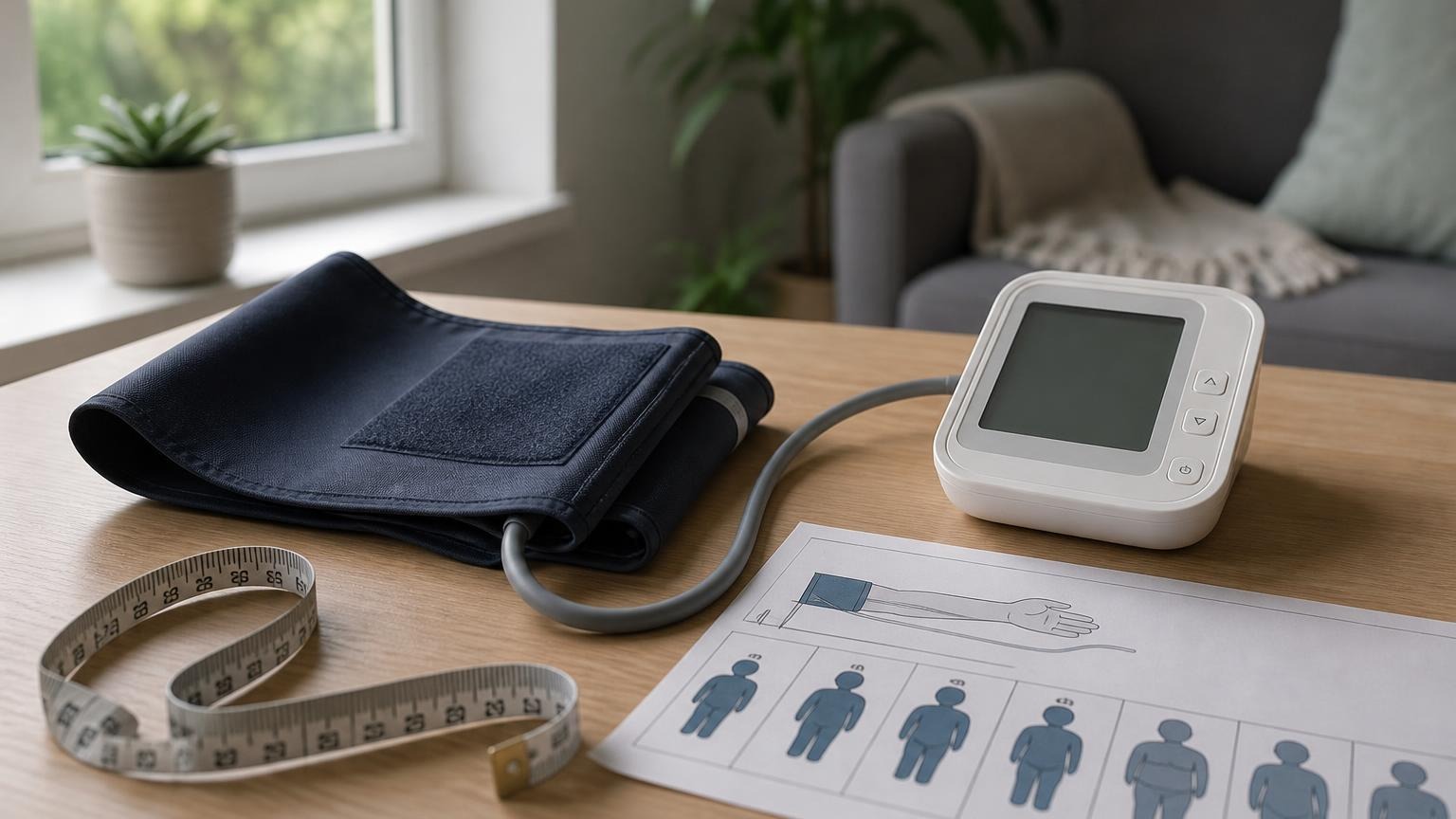
A blood pressure cuff that will not inflate often has a loose tube, weak power, poor connection, or damaged cuff. Work through these checks safely.
If your blood pressure cuff won’t inflate, start with the simple parts: confirm that the monitor has reliable power, push the air-tube plug fully into its port, straighten any kinks, and rewrap the cuff snugly on your bare upper arm. A loose connection or weak batteries can stop inflation before the cuff becomes firm.
Do not keep restarting a cuff that is painful, visibly damaged, or leaking. Your monitor’s manual is the final authority because connectors, error messages, and replacement cuffs vary by model.
Why won’t my blood pressure cuff inflate?
An automatic monitor uses a small pump to move air through the tube and into an inflatable bladder inside the fabric cuff. The cuff cannot build pressure if power is weak, air escapes, or the monitor stops the cycle after detecting a setup problem.
The most common possibilities are:
- The tube is not fully connected. A plug can look attached while still sitting partly outside the air port.
- The tube is bent or pinched. A tight curve under your arm or monitor can restrict airflow.
- The batteries are weak or installed incorrectly. The screen may turn on even when the pump does not have dependable power.
- The cuff is wrapped too loosely. Some monitors stop when they cannot build pressure as expected.
- The cuff, bladder, tube, or connector leaks. Cracks, punctures, worn seams, and loose fittings can let air escape.
- The pump or internal electronics have a fault. This is more likely after the external checks fail repeatedly.
A monitor that inflates but then reinflates several times is a slightly different problem. See our guide to why a blood pressure monitor keeps inflating for that pattern.
Check these six things in order
Work through one change at a time. That makes it easier to identify the cause instead of randomly rewrapping and restarting.
1. Stop the cycle and remove the cuff
Press stop if the monitor is running. Let the cuff release all pressure before removing it. If you feel sharp pain, numbness, tingling, or the cuff does not deflate normally, disconnect power according to the manual and remove the cuff carefully.
2. Confirm the power source
For a battery-powered monitor, install a fresh matching set in the direction shown inside the battery compartment. Avoid mixing old and new batteries. If the monitor uses an AC adapter, use only the adapter specified for that model and make sure both ends are secure.
A low-battery icon is useful when it appears, but its absence does not prove the batteries are strong. Our article on whether low batteries affect blood pressure monitors explains why power problems can look inconsistent.
3. Reseat the air-tube connector
Remove the tube plug from the monitor, inspect it for obvious damage, and insert it firmly into the correct port. Do not force a connector that does not match. Some plugs click or stop decisively; others simply fit snugly.
Keep the tube clear of chair arms, table edges, clothing, and your body. Straighten tight loops without pulling on the connection.
4. Inspect the cuff and tube
Look for:
- splits or flattened sections in the tube
- a loose connector at either end
- punctures, fraying, or separated seams
- a twisted bladder inside the cuff
- hook-and-loop material that no longer holds
Do not patch the inflatable bladder or tube with household tape and assume the monitor is reliable. An improvised seal may change how the cuff pressurizes or fail during the next reading. Use a manufacturer-approved compatible replacement when the cuff or tube is damaged.
5. Rewrap the cuff correctly
Place the cuff on bare upper arm, follow its artery marker or tubing guide, and wrap it evenly within the printed size range. It should be snug before inflation without pinching. A cuff that is too large, too small, backward, or barely fastened may fail to inflate normally or may produce an error.
Use our blood pressure cuff placement guide if you are unsure about orientation. If fit is the problem, check the blood pressure cuff size chart rather than forcing the included cuff.
6. Try one careful restart
Sit with your back supported, feet flat, and arm resting near heart level. Stay still and silent while the monitor runs. If inflation fails again, note the exact error code or behavior and check the model-specific troubleshooting section in the manual.
Do not take repeated failed attempts on the same arm in quick succession. Repeated squeezing can be uncomfortable without producing useful information.
What different failure patterns can suggest
| What happens | What to check first |
|---|---|
| Screen stays blank | Batteries, polarity, outlet, or specified adapter |
| Screen turns on but cuff stays soft | Tube connection, kink, weak power, or pump fault |
| Cuff begins filling, then goes soft | Loose fitting, air leak, or a cuff not wrapped securely |
| Monitor stops with an error | Manual, cuff fit, movement, tube, and connector |
| Cuff inflates repeatedly | Movement, fit, placement, signal detection, or device fault |
| Cuff will not deflate | Stop the monitor, remove it safely, and follow the manual before reuse |
Error codes are not universal. One brand’s E1 or E2 may mean something different on another model, so use our blood pressure monitor error-code overview only as a starting point and then confirm the definition in your manual.
When the cuff or monitor may need replacement
Contact the manufacturer or retailer if the same inflation failure continues with fresh power, a secure tube, correct cuff placement, and no visible kink. Have the model number, cuff identifier, error code, purchase date, and a short description ready.
Replace the cuff only with one the manufacturer lists as compatible. A connector that fits physically does not necessarily mean the cuff size, bladder design, or calibration assumptions match the monitor.
If your monitor is old, has been dropped, has liquid damage, or gives erratic results after it begins working again, ask the manufacturer about inspection, service, or replacement. Do not use a second person’s monitor or a public kiosk as proof that your own unit is accurate; a comparison can identify a large discrepancy, but it is not a calibration test.
Frequently asked questions
Q: Why does my blood pressure monitor turn on but not inflate?
A: The display needs less power than the pump, so weak batteries are still possible. Also check that the air plug is fully seated, the tube is not kinked, and the cuff is wrapped securely. If those checks fail, consult the manual or manufacturer about a pump or internal fault.
Q: Can a blood pressure cuff have an air leak?
A: Yes. A cracked tube, loose connector, punctured bladder, or worn seam can prevent the cuff from holding pressure. Stop using a visibly damaged cuff and replace it with a compatible part rather than applying a household patch.
Q: Can wrapping the cuff too loosely stop inflation?
A: It can. A very loose cuff may not build pressure as the monitor expects and may trigger an inflation or cuff-fit error. Rewrap it evenly on bare skin within the cuff’s stated arm-size range.
Q: Should I keep trying if the cuff will not inflate?
A: After checking power, the tube, and cuff placement, one careful retry is reasonable. If it fails again, stop and use the manual or manufacturer support. Repeated attempts add discomfort and usually do not fix a damaged part or pump.
Q: Can I use a different brand’s replacement cuff?
A: Do not assume so. Cuff dimensions, connectors, bladders, and monitor compatibility vary. Use a replacement specifically approved for your monitor model unless the manufacturer confirms another option.
Bottom line
When a blood pressure cuff will not inflate, check power, the air-tube connection, kinks, cuff fit, and visible damage in that order. Retry once under a calm setup, then stop and consult the model manual or manufacturer if the problem continues. Do not tape a leaking cuff, force an unmatched connector, or keep squeezing the same arm with repeated failed cycles.
This article is educational and not medical advice. Consult a qualified clinician before making treatment decisions or interpreting symptoms from home readings.
Top 5 picks
Best Blood Pressure Monitors For Seniors 2026
Five upper-arm monitors ranked with published scorecards—setup friction, comfort, readability, power convenience, and repeatable accuracy—so you can compare models before you buy.
See our Top 5 blood pressure monitor picksHome-monitoring advice is only useful if it is easy to verify and act on correctly.
We write explainers to be understandable to readers, search engines, and AI answer systems.
Compare our Top 5 blood pressure monitor picks for 2026, then track readings over time with consistent technique.


